
Voice & Tone has two parts: quick Register toggles applied to every sentence, and longer free-form fields the writer reads for context before it drafts.
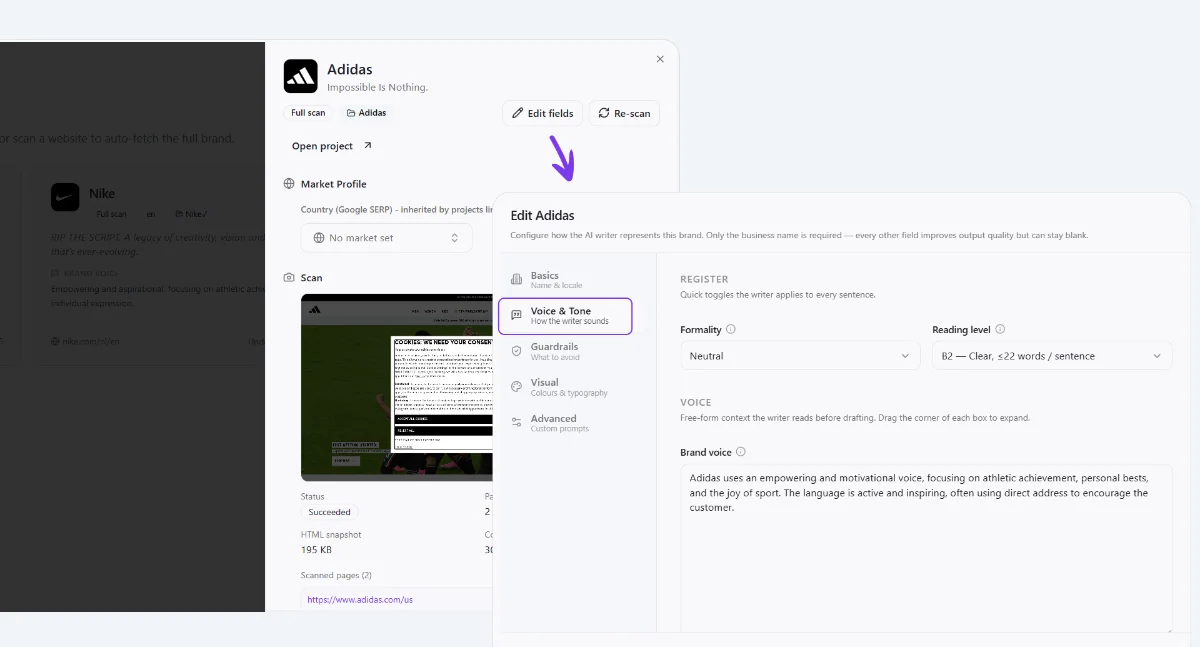
Register
- Formality, a dropdown from casual to formal. Set once, it nudges word choice and sentence structure on every article without re-explaining it each time.
- Reading level, caps sentence complexity, e.g. "B2, clear, ≤22 words / sentence". Lower it for broad consumer audiences, raise it for technical or B2B readers.
Voice (free-form)
- Brand voice, a paragraph describing how the brand sounds. Write it the way you would brief a new copywriter, adjectives plus why they fit.
- Tone instructions, shorter and more tactical than Brand voice, think stage directions: "Inspiring, direct, avoid jargon."
- Target audience, who is reading. The more specific, the less generic the output, "runners training for a first marathon" beats "people who like sports".
- Key differentiators, what makes this brand worth choosing over the obvious alternative. The writer leans on this when a page needs a persuasive edge.
Key things to know
- These fields are read before every generation, Content Machine, Full Build, and translations all inherit them.
- Register toggles are the cheapest lever to tune, if articles read too stiff or too casual, change Formality before touching anything else.
- The free-form boxes accept as much text as you want, drag the corner handle to expand a box while writing.